

Streaming delay is the hidden cost of watching live sports over a network connection instead of catching TV broadcasts sent via the airwaves. More and more people are making the switch, and there’s a lot to be said for going all-digital, with benefits like higher pixel counts and better framerates really making the argument for streaming. But it’s not all good news. The specter of streaming delay can’t be ignored, so let’s talk through what it is and why it’s best avoided if possible.
The Agony of a Sluggish Stream
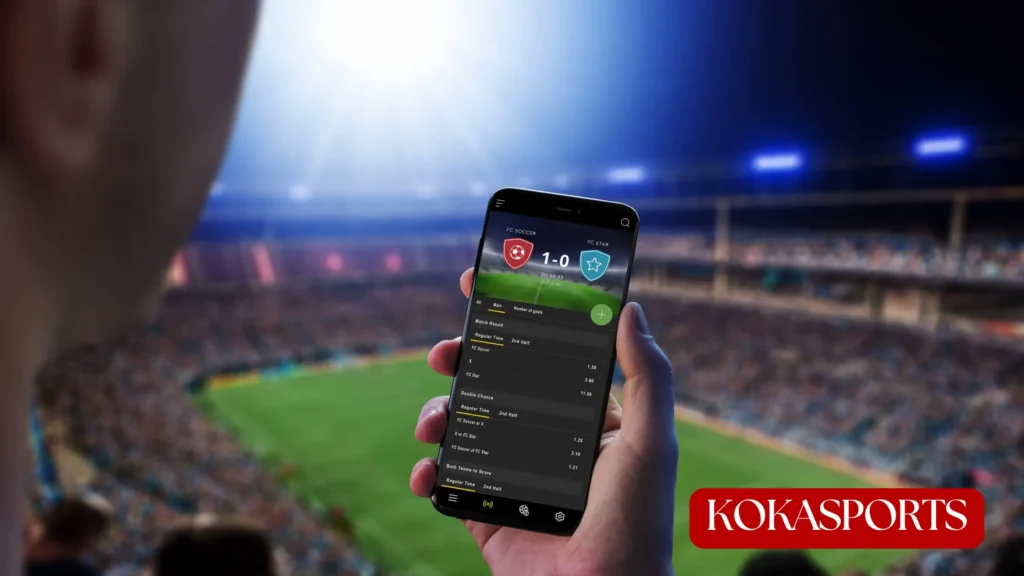
Streaming sports inevitably introduces a degree of delay that’s unavoidable, as there’s always other network traffic sharing the same available bandwidth as your chosen streaming platform’s content, and on big game days that’s going to be even more of a burden than in normal circumstances. The issue is that if you’ve also got your phone set to alert you to touchdowns being scored or points being earned, you’ll likely get a spoiler buzzing away in your pocket a few seconds before the on-screen action catches up with reality.

This delay can ruin the most tense, exciting moments of sports. And even if you put your phone on silent, there’s the other issue with streaming delay: hearing your neighbors or anyone in the nearby area reacting loudly to what’s happening. Delays aren’t consistent, and some people might have a traditional TV broadcast or cable connection piping coverage into their living room.
Then, there’s the issue that sports betting fans suffer when a streaming delay strikes. There’s lots of fun to be had using a live betting website to wager on the action as it happens. But if you’re a few seconds or minutes behind, you’ll miss out on in-play gambling opportunities aplenty.
What to Do About It
If you are worried about streaming delay and you don’t have an option to watch the big game via traditional TV coverage, then there are a few steps worth taking. First of all, check that your connection isn’t being hogged by anything else, giving over all your bandwidth to your chosen streaming device, whether that’s a smart TV or set-top box. In the most extreme cases, you could turn off your phone’s Wi-Fi connection, and request that other people in the household do the same, for the duration of the game.
Next, you could minimize the delay by turning down the bitrate/quality of the stream itself. Opting for 1080p resolution rather than a full 4K stream will speed things up without sacrificing much in image quality. If you’ve got a relatively modern TV with decent upscaling capabilities, you won’t notice much difference.
Lastly, make sure that you’re on top of checking that the stream is playing live. Sometimes if it pauses to buffer for a few moments, the stream will pick back up right where it left off, leaving you a few seconds behind. The more this happens, the bigger the gap becomes. Refreshing the stream when there’s a break in play, or relaunching the app during halftime, will solve this. Nothing’s perfect, but being aware of what streaming delay can do to live sports will help you avoid the major drawbacks.
FAQs
What is streaming delay in live sports?
Streaming delay is the gap between the moment something happens at the venue and the moment it appears on your screen. Encoding, network routing, and buffering all add time, so a stream typically runs anywhere from a few seconds to well over a minute behind the live action.
How far behind live is a typical sports stream?
Most mainstream streaming services sit somewhere between 20 and 60 seconds behind real time. Cable and satellite are usually closer to 5–10 seconds, and over-the-air broadcasts are the fastest of all, which is why streamers often hear the neighbours celebrate first.
Why is my stream slower than my friend’s?
Delays aren’t uniform. Your provider, device, app version, home network congestion, and even which server you’re routed to all change the number. Two people watching the same match on the same platform can easily be 10–20 seconds apart.
Does lowering the video quality reduce streaming delay?
Often, yes. Dropping from 4K to 1080p means less data to buffer and decode, which can shave seconds off the gap and reduce mid-game buffering. On a modern TV with decent upscaling, the visual trade-off is minimal.
Will a wired connection help?
Plugging your streaming device straight into the router with an Ethernet cable removes Wi-Fi interference and packet loss from the equation. It won’t eliminate delay entirely much of it happens upstream but it makes your stream far more stable.
Conclusion
The good news is that you’re not powerless. Freeing up bandwidth, wiring in your streaming device, dialling the resolution back to 1080p, and refreshing the stream during natural breaks will all pull you closer to real time. None of it makes the gap disappear, but shaving twenty seconds off a delay is often the difference between experiencing a moment and being told about it. Know what causes the lag, take the easy wins, and let the game reach you on your terms.
Streaming delay is the price of admission for watching live sports over the internet, and for most of the season it’s a minor annoyance at worst. It’s the big moments where it bites the buzzer-beater you learn about from a push notification, the goal your neighbour celebrates before your screen catches up, the in-play market that closes while you’re still watching the build-up.